
Getting Started with NCDC
Welcome to the NCDC Installation and User Guide!
NCDC, a powerful and user-friendly software, is designed to streamline your company’s data management. Follow these steps to effortlessly integrate NCDC into your server:
1. Preparation for NCDC Deployment
- Create a User Account: Prior to deploying NCDC, you need to establish a user account. This account will access changes from Oracle logs. Utilize the provided SQL script to customize according to your preferences.
2. Data Transfer to the Target Database
- Support for MS SQL Server: Currently, we support MS SQL Server as the target database. Future updates will include connectors for other common database types.
- Setting up the Target Database:
- Create a user account and set up tables for CDC (Change Data Capture) metadata using the prepared SQL script.
- Metadata tables mainly contain a list of table and column names whose changes you want to mirror from the source system using NCDC.
- These can be entered manually into metadata tables or imported, for example, from Excel.
3. Server Installation
- Easy Installation Process: Install the server by simply copying NCDC server files to the target Windows server and running install_service.bat. This creates a Windows service for the NCDC server. Alternatively, run the NCDC server directly from the command line of your laptop without full installation.
4. Configuration and Launch
- Configure Database Connections: Modify the server’s configuration file to connect to your source and target databases.
- Server Initialization: Upon launch, the server checks the Oracle server settings and, if necessary, generates an SQL script to correct Oracle log settings.
5. Data Synchronization and Schema Management
- Automatic Table Creation and Data Transfer: The server automatically creates all target tables in the source database and starts transferring modified data.
- Dynamic Schema Adjustment: NCDC intelligently adjusts target schemas to match the source’s current structure. We’re enhancing this process for the server to automatically adapt to expected structural changes, like database version upgrades, without administrator intervention.
6. Real-Time Monitoring
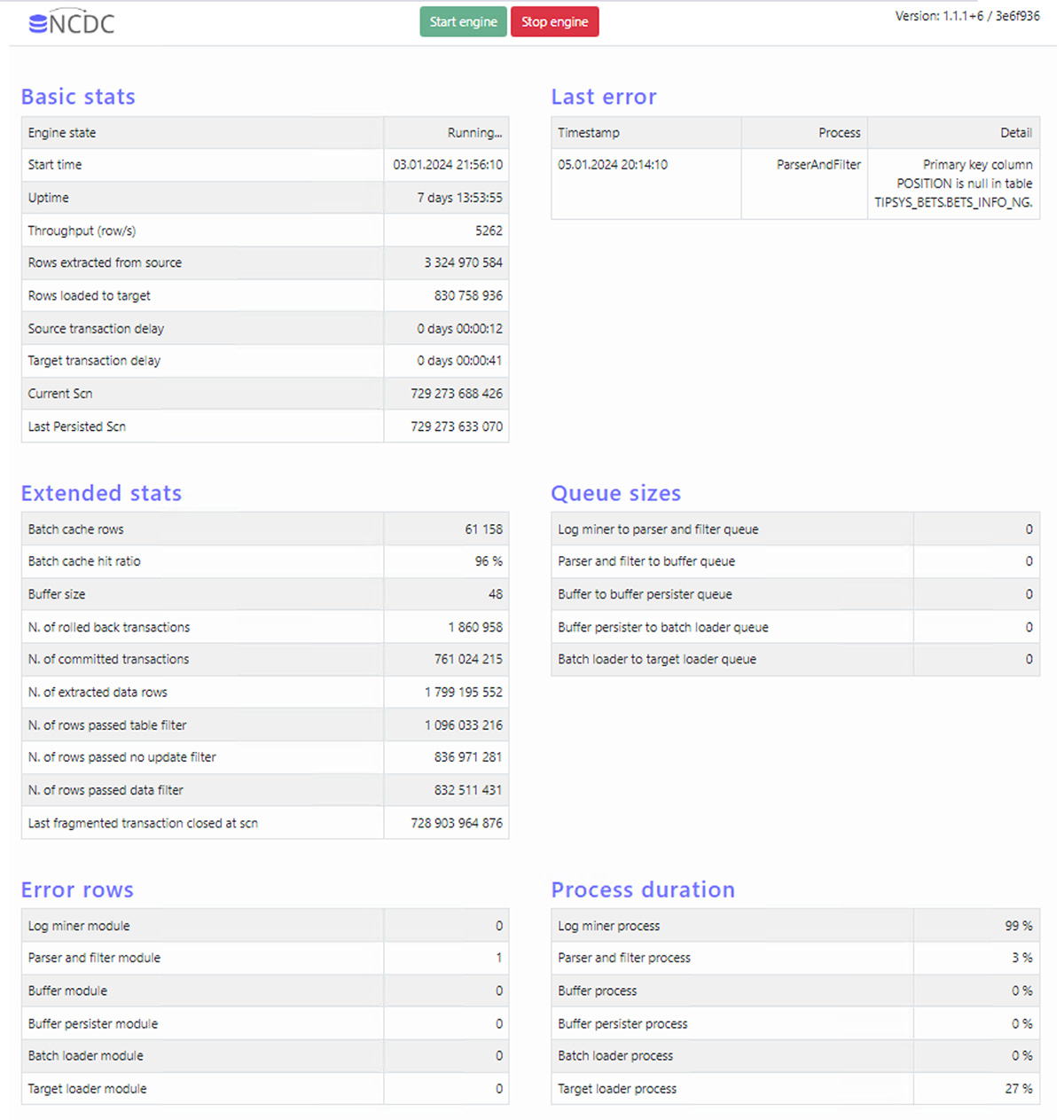
- Performance Tracking: Monitor the data loading process in real-time through Windows performance counters, text logs, or a web-based monitoring interface.

Additional Features of NCDC
- Email Notifications: Stay informed with email alerts for any issues.
- Custom Filters: Set filters for each table, choosing between inserts, updates, or deletes, and use SQL-like language to specify conditions for column values.
- Performance Tuning: Optimize server performance through configurable settings.
Try NCDC in Your Company ?
Feel free to contact us for a trial of NCDC in your organization. Discover how NCDC can enhance your data management experience